 256b2cd6e5
|
||
|---|---|---|
| .. | ||
| images | ||
| readme.md | ||
| readme_ch.md | ||
readme.md
English | 简体中文
Jetson Deployment for PaddleOCR
This section introduces the deployment of PaddleOCR on Jetson NX, TX2, nano, AGX and other series of hardware.
1. Prepare Environment
You need to prepare a Jetson development hardware. If you need TensorRT, you need to prepare the TensorRT environment. It is recommended to use TensorRT version 7.1.3;
- Install PaddlePaddle in Jetson
The PaddlePaddle download link Please select the appropriate installation package for your Jetpack version, cuda version, and trt version. Here, we download paddlepaddle_gpu-2.3.0rc0-cp36-cp36m-linux_aarch64.whl.
Install PaddlePaddle:
pip3 install -U paddlepaddle_gpu-2.3.0rc0-cp36-cp36m-linux_aarch64.whl
- Download PaddleOCR code and install dependencies
Clone the PaddleOCR code:
git clone https://github.com/PaddlePaddle/PaddleOCR
and install dependencies:
cd PaddleOCR
pip3 install -r requirements.txt
Note: Jetson hardware CPU is poor, dependency installation is slow, please wait patiently
2. Perform prediction
Obtain the PPOCR model from the document model library. The following takes the PP-OCRv3 model as an example to introduce the use of the PPOCR model on Jetson:
Download and unzip the PP-OCRv3 models.
wget https://paddleocr.bj.bcebos.com/PP-OCRv3/chinese/ch_PP-OCRv3_det_infer.tar
wget https://paddleocr.bj.bcebos.com/PP-OCRv3/chinese/ch_PP-OCRv3_rec_infer.tar
tar xf ch_PP-OCRv3_det_infer.tar
tar xf ch_PP-OCRv3_rec_infer.tar
The text detection inference:
cd PaddleOCR
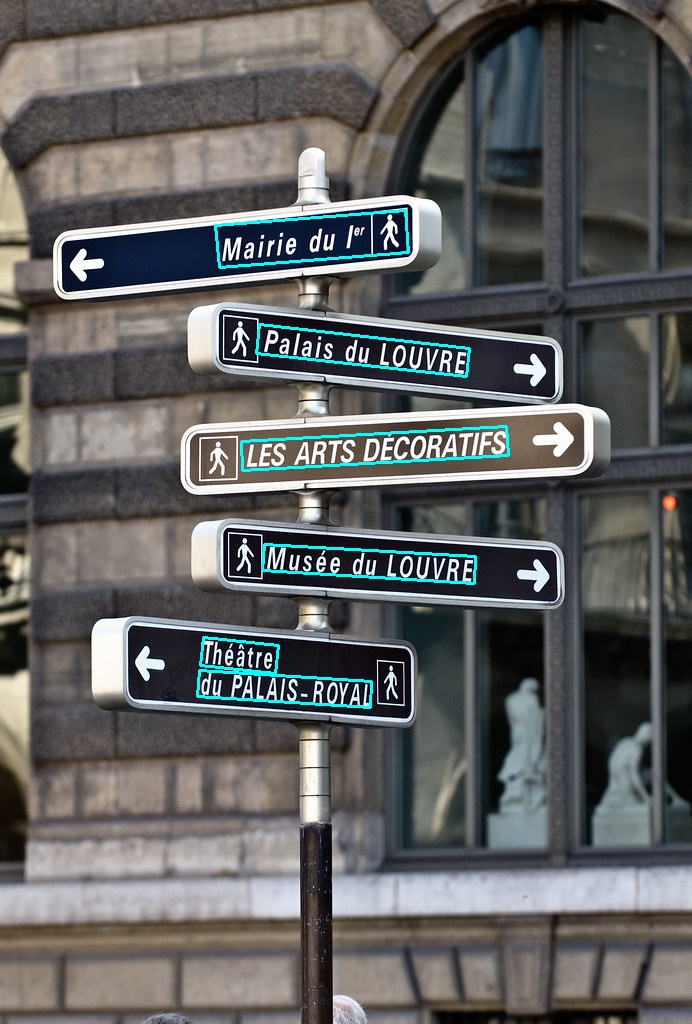
python3 tools/infer/predict_det.py --det_model_dir=./inference/ch_PP-OCRv2_det_infer/  --image_dir=./doc/imgs/french_0.jpg  --use_gpu=True
After executing the command, the predicted information will be printed out in the terminal, and the visualization results will be saved in the ./inference_results/ directory.
The text recognition inference:
python3 tools/infer/predict_det.py --rec_model_dir=./inference/ch_PP-OCRv2_rec_infer/ --image_dir=./doc/imgs_words/en/word_2.png --use_gpu=True --rec_image_shape="3,48,320"
After executing the command, the predicted information will be printed on the terminal, and the output is as follows:
[2022/04/28 15:41:45] root INFO: Predicts of ./doc/imgs_words/en/word_2.png:('yourself', 0.98084533)
The text detection and text recognition inference:
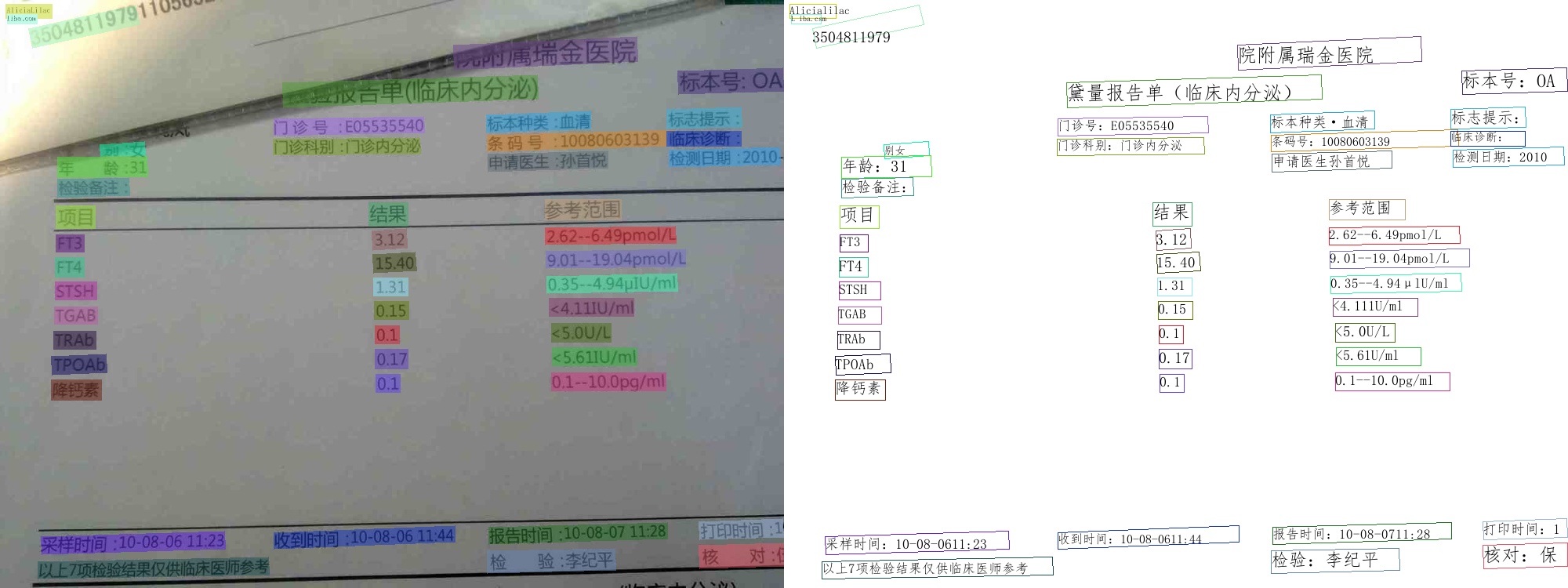
python3 tools/infer/predict_system.py --det_model_dir=./inference/ch_PP-OCRv2_det_infer/ --rec_model_dir=./inference/ch_PP-OCRv2_rec_infer/ --image_dir=./doc/imgs/00057937.jpg --use_gpu=True --rec_image_shape="3,48,320"
After executing the command, the predicted information will be printed out in the terminal, and the visualization results will be saved in the ./inference_results/ directory.
To enable TRT prediction, you only need to set --use_tensorrt=True on the basis of the above command:
python3 tools/infer/predict_system.py --det_model_dir=./inference/ch_PP-OCRv2_det_infer/ --rec_model_dir=./inference/ch_PP-OCRv2_rec_infer/ --image_dir=./doc/imgs/ --rec_image_shape="3,48,320" --use_gpu=True --use_tensorrt=True
For more ppocr model predictions, please refer todocument